Video replication: remake a viral clip with your product
Upload a reference video and your product photo; the shots, pacing and camera moves stay, and the product becomes yours.
What you bring
The result
Steps
Step 1 of 4
Add the reference video and your product
Upload the original video (MP4 or MOV, 4–15 seconds), or paste a TikTok, Douyin, Xiaohongshu or YouTube link into the link field and import it. Add one photo of your product as the new subject.
TipThe closer the reference product is to yours in size and how it’s held, the more natural the result.
Step 2 of 4
Simple or complex replication
“Simple replication” is for a single shot with steady motion and renders straight away, billed per second. “Complex replication” is for multi-shot, heavily edited clips: the AI breaks the clip into shots, swaps your product into the key frames and lets you review them before rendering. Complex is the default, so the steps below follow it.
Step 3 of 4
Pick resolution, start the analysis
The aspect ratio follows the original by default; choose 720p or 1080p, and switch on keeping the original audio if you want its music. Then start the analysis — the button shows the analysis fee, and it usually takes 5–10 minutes.
Step 4 of 4
Review the key frames, then confirm
When the analysis is done you get a few key frames. Check that your product is in each one; if a frame is off, edit its description or swap in another image. Then press the confirm button at the top of the review panel — it shows the video credits. The video usually takes 15–40 minutes and you get an email when it’s ready.
Save creditsThe analysis fee is charged when you start the analysis; the video is charged only when you confirm. Don’t confirm frames you don’t like.
Step 1 of 4
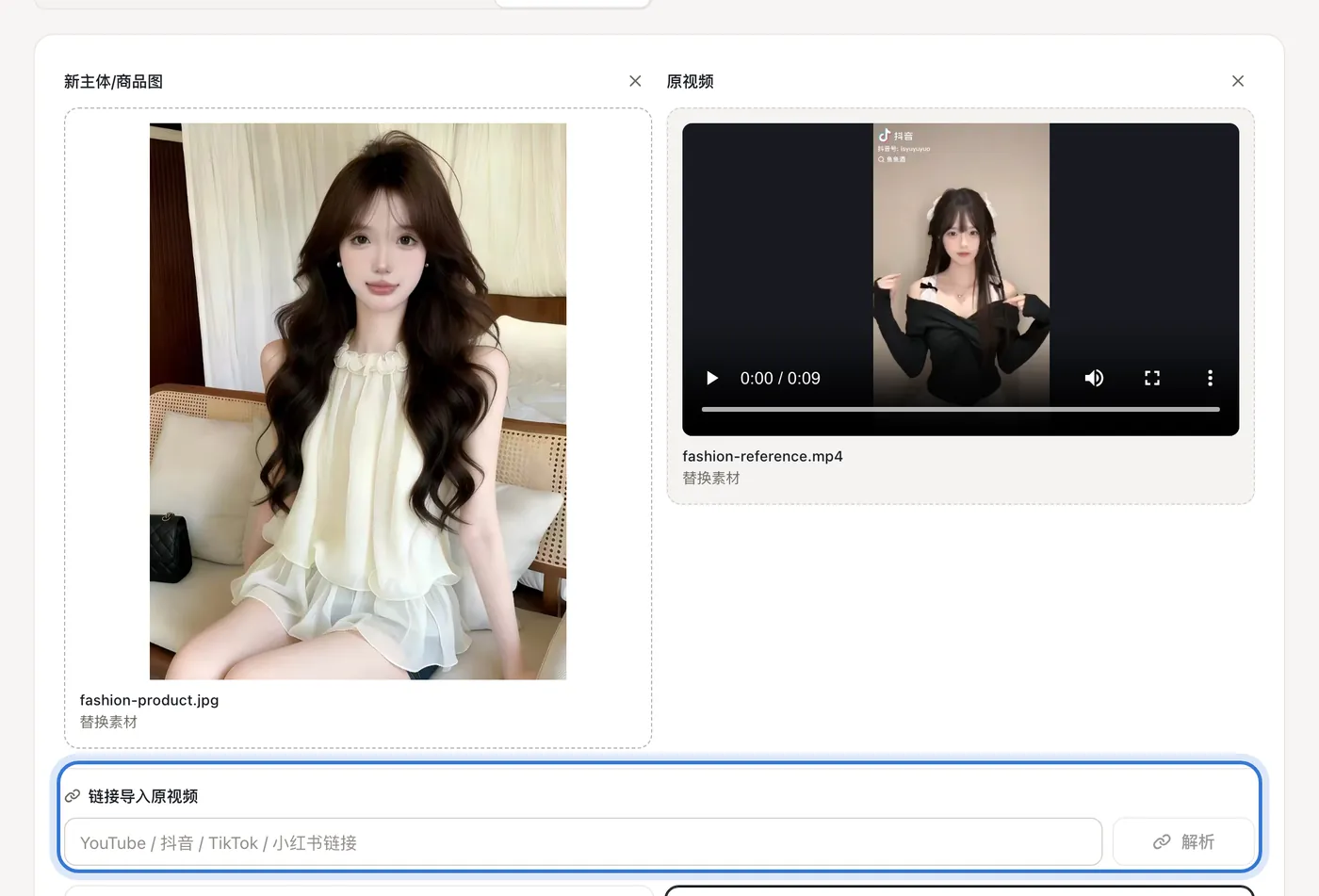

Click the highlighted area to continue
Related questions
Did this lesson help?