Retouching product photos
Remove clutter, switch to a white background, brighten — the product itself stays as it is. Several images can go in one run.
What you bring
The result
Steps
Step 1 of 3
Upload images, write what to fix
Add the photos under “Product images” (JPG or PNG). “Retouch requirements” is optional: say what to remove, what background you want and what must not change. Leave it empty and the AI diagnoses the image first.
Step 2 of 3
Choose ratio and background
Under “Settings” pick the aspect ratio for your marketplace. “Background mode” defaults to “White background”; to keep the original scene choose “Original background”.
Step 3 of 3
Start and download
Once your photos are in, “Start refinement” becomes “Refine N images” with the estimate under it; press it. Each result has “Edit” and “Download”; anything that failed can be retried, and failures are not charged.
Step 1 of 3
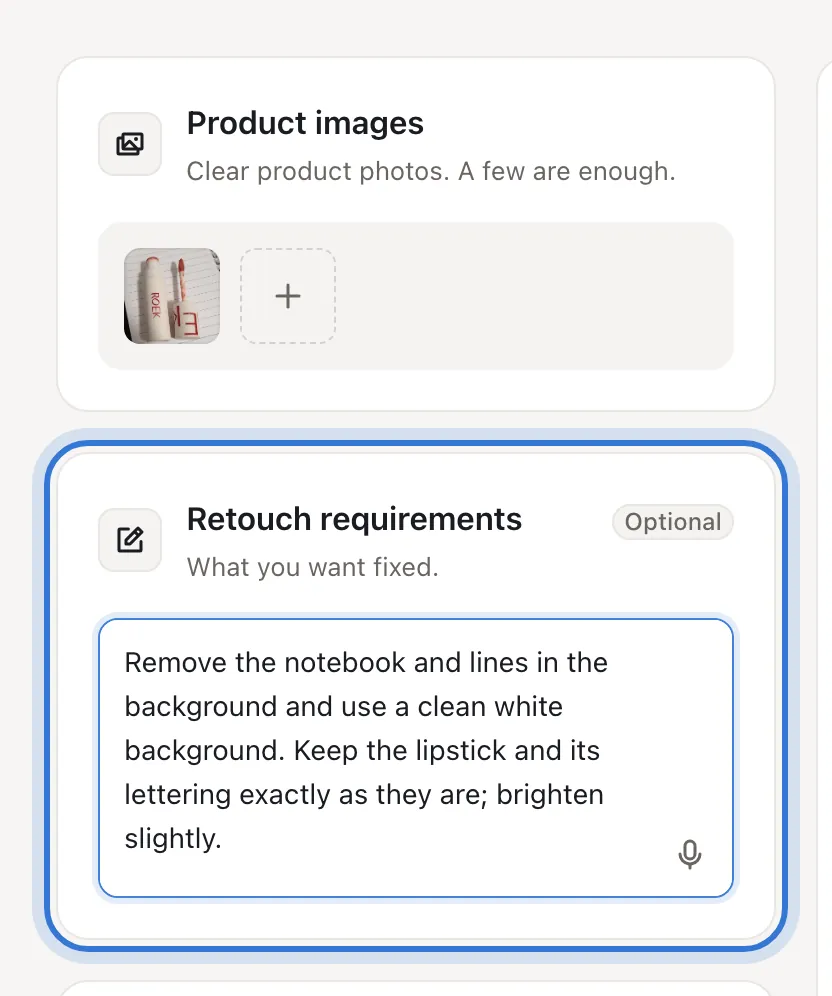
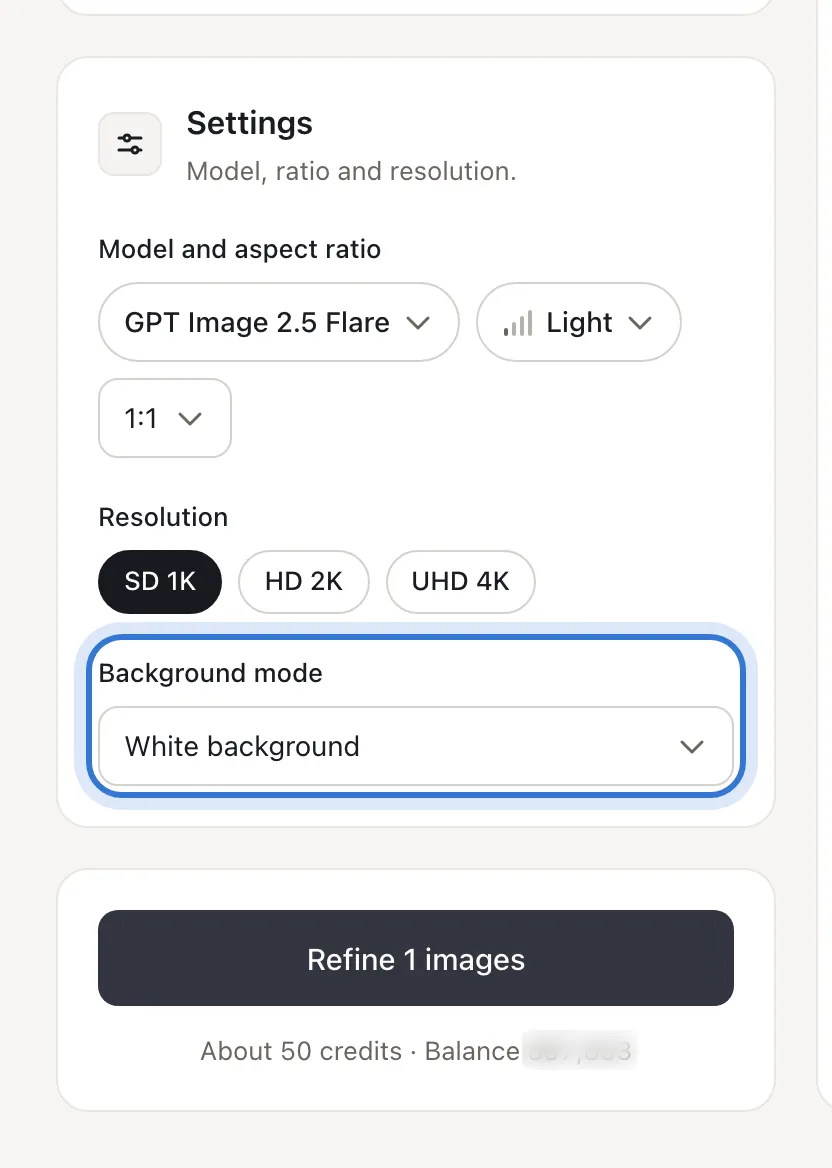
Click the highlighted area to continue
Not happy with the result?
- The product’s text or logo changed
- Add “keep the product and its lettering exactly as they are”, and use a clear, front-on photo.
- I don’t want a white background
- Choose “Original background” and describe the adjustment in the requirements.
Related questions
Did this lesson help?