Finding and downloading
Everything every tool makes is in History; once rendering starts, refreshing or closing the page loses nothing.
3 steps · 1 min
Steps
Step 1 of 3
“History” in the avatar menu
Click your avatar in the top right and choose “History”. “History” in your profile is the same place.
Step 2 of 3
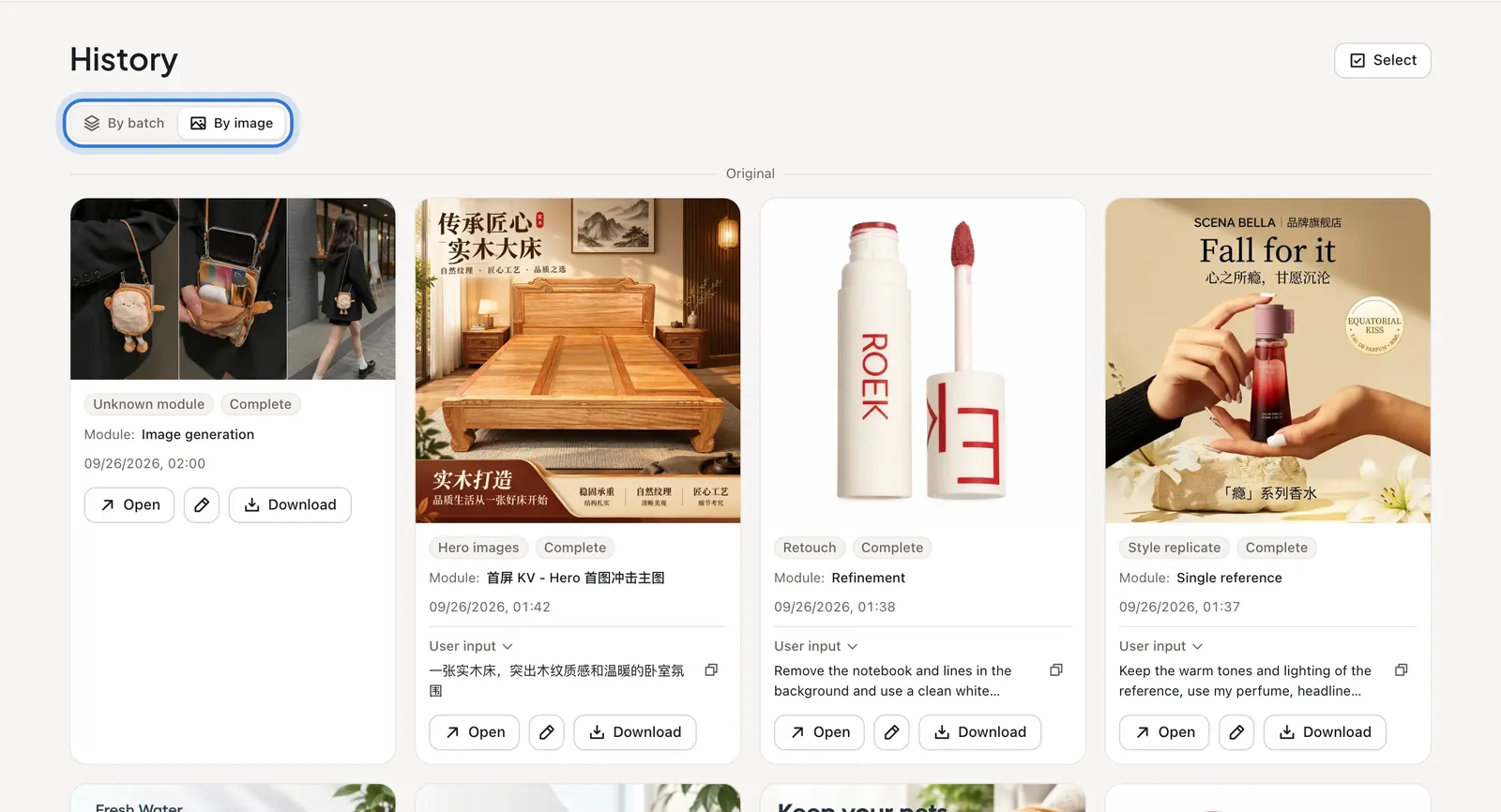
By batch or by image
“By batch” groups each generation, good for finding a set; “By image” lays every image out with the tool, module and what you asked for, good for quick scanning.
Step 3 of 3
Download
Each image has “Open” and “Download”. When browsing by image, “Select” lets you tick several at once.
Step 1 of 3

Click the highlighted area to continue
Related questions
Did this lesson help?