Video: pick a mode first
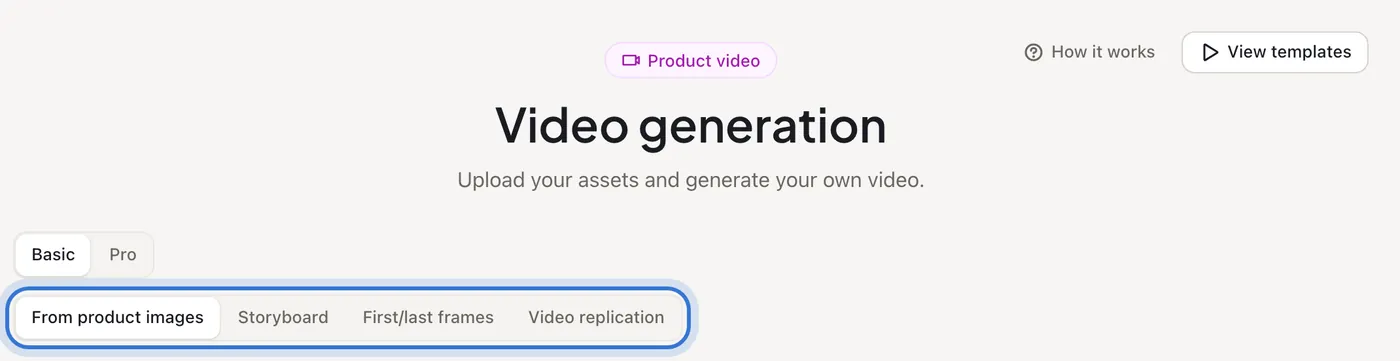
Video has Basic and Pro. Basic has four modes — From product images, Storyboard, First/last frames and Video replication; Pro writes a plan and storyboard before rendering.
What you bring
The result
Steps
Step 1 of 3
Watch the templates first
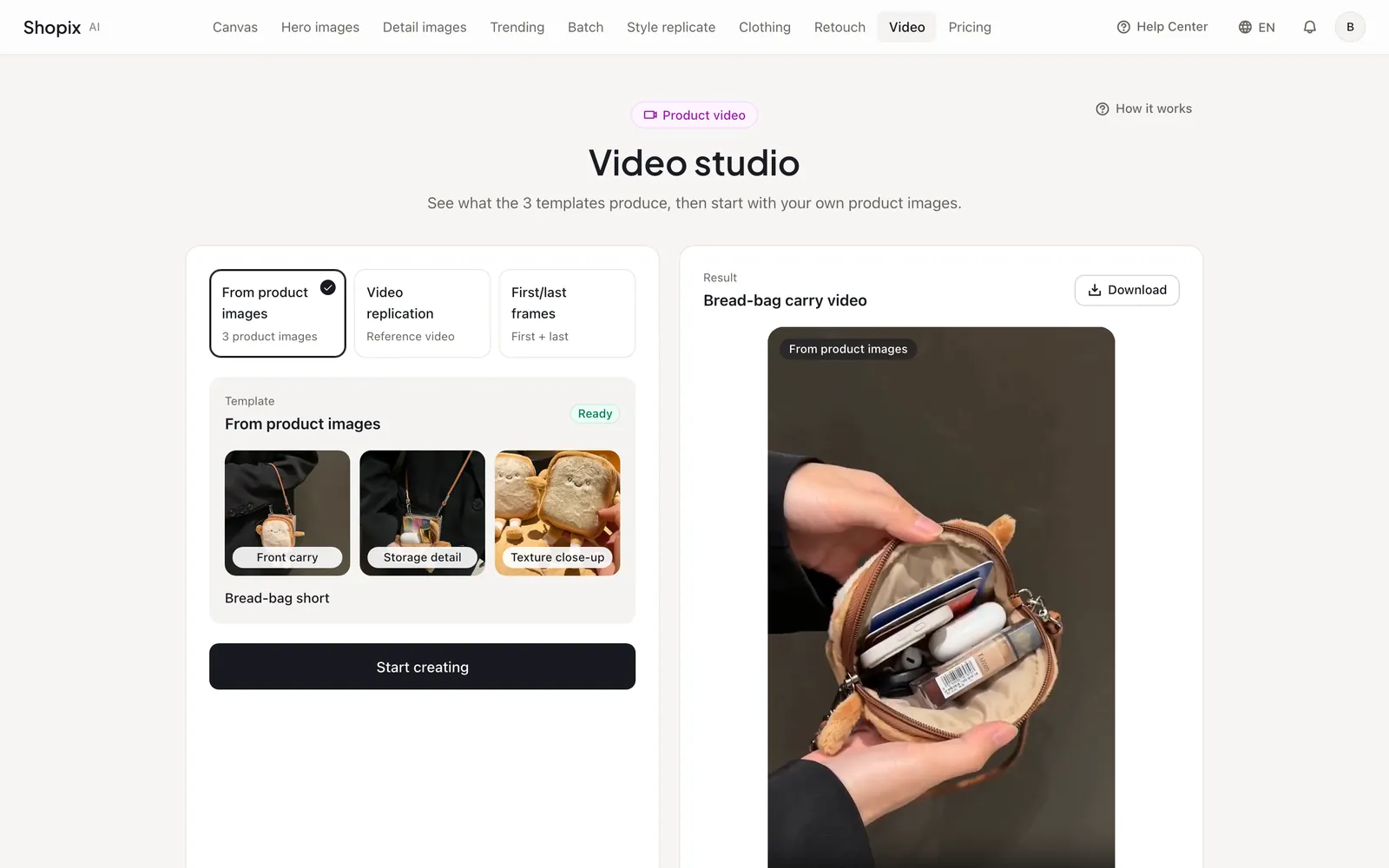
The first visit shows three templates: From product images (three product photos), Video replication (follow a reference clip) and First/last frames (set the opening and closing shots). See the results, then press “Start creating” with your own photos; “View templates” in the top right shows them again.
Step 2 of 3
Choose by what you have
Just a few product photos: “From product images”. A full talking, ad or product storyboard: “Storyboard”. Two frames for the start and end: “First/last frames”. A viral clip to copy: “Video replication”. Want the AI to plan everything first: switch to “Pro”.
Step 3 of 3
Results on the right
“Result” is the video you just made; “Recent” lists running and recent tasks; “Assets” holds what you uploaded. Videos take a few minutes, so switch modes and work on something else — you’ll get an email when it’s done.
Step 1 of 3
Watch the templates first
Related questions
Did this lesson help?